Data Catalog Core Concepts Explained — With an Honest Look at OpenMetadata
There's a particular kind of pain that every data team eventually hits. A data scientist spends three days hunting for the "right" customer table. An analyst builds a dashboard on a column that was deprecated six months ago. A new hire asks where the revenue data lives, and four people give four different answers. Everyone has the data. Nobody can find it.
This is the problem data catalogs are built to solve, and in 2026, with AI agents now reading from the same warehouses humans do, solving it has gone from "nice to have" to "you cannot ship AI safely without it."
But here's the thing nobody tells you when you spin up a catalog for the first time: the tool is the easy part. The conceptual model behind any data catalog (what it actually represents, why it's structured the way it is) is the part that decides whether your deployment becomes a thriving company-wide knowledge base or another abandoned tab in everyone's browser.
This post walks through the core concepts you need to internalize before you start clicking around any catalog UI. The concepts are vendor-neutral. Halfway through, I'll explain why I'm using OpenMetadata as the running example, and what it gets right and wrong.
What a data catalog actually is
At its core, a data catalog is just an organized inventory of the data in your company. That's it. No magic. The catalog stores metadata only (names, types, owners, descriptions, relationships), never the underlying values themselves. That distinction is the whole point. It's what lets you give every employee in the company visibility into every dataset without exposing a single sensitive row.
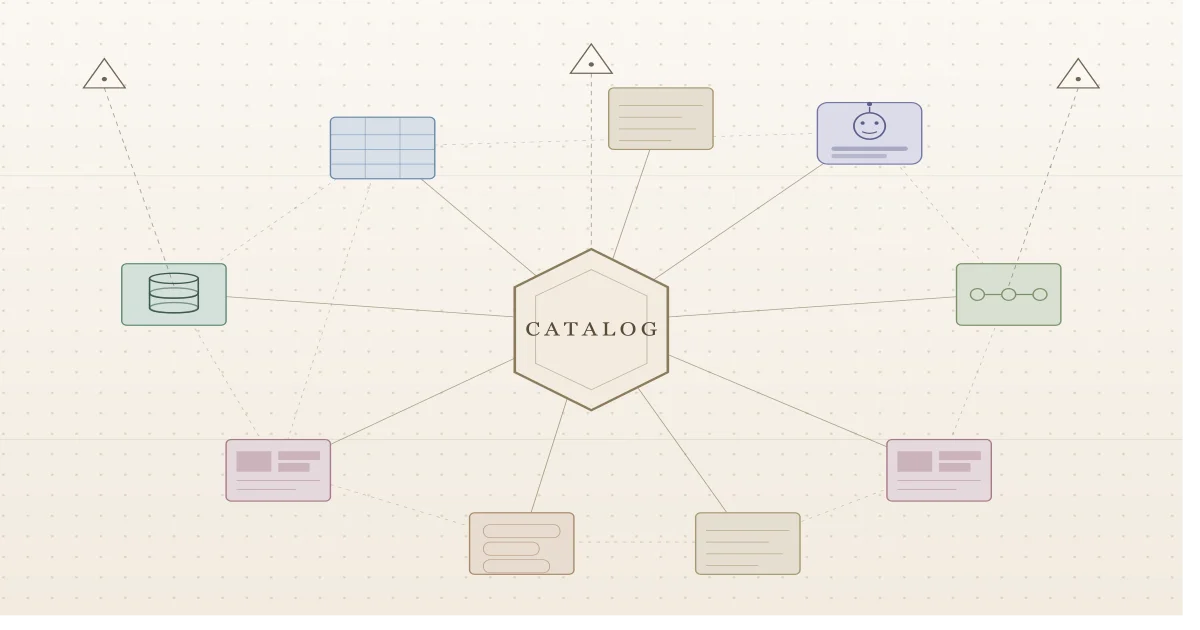
A modern catalog implements this as a central metadata repository organized as a graph that connects data assets, users, teams, and tooling into one navigable structure. Crawlers (often called connectors) pull metadata out of your warehouses, BI tools, dashboards, and pipelines into that central store. Once it's there, it's searchable.
That's the whole shape of the thing. Now the concepts that make it work.
Concept 1: Assets, data sources, and domains
These three words form the spine of how any catalog organizes the world.
A data source is wherever the data physically lives: a Snowflake warehouse, an S3 bucket, a Looker instance, a Postgres database. An asset is a single entity inside one of those sources: a table, a dashboard, a pipeline, a column, a topic. When a connector runs, it walks the data source and turns each thing it finds into an asset in the catalog.
But raw assets in a flat list are useless at scale. You need a way to group them by what they're about, not by where they happen to be stored. That's what a domain is: a logical grouping of assets that belong together because they describe the same part of the business. A "Finance" domain might pull together budget tables from one warehouse, P&L dashboards from a BI tool, and forecast pipelines from somewhere else entirely. The domain doesn't care where the data lives; it cares what the data means.
Getting domains right is the single most important design decision you'll make. The next section is entirely about how.
Concept 2: How to actually build domains
If most catalog deployments fail, they fail here. People either skip domain design (everything lands in a flat list) or they map domains 1:1 to the org chart (so every reorg breaks the catalog). Both paths end the same way: a catalog nobody trusts.
There's a sturdier model. It comes from information science rather than software engineering, and it changes how you think about what a domain is before you start drawing boxes.
A domain is a group of people, not a piece of software
In data engineering circles, "domain" usually arrives wearing domain-driven design (DDD) clothes (Eric Evans' framework from the early 2000s, repurposed for data architecture by the data mesh movement). DDD is excellent for designing software services. But it was built to model how software components communicate, and when you stretch it to model how data should be organized for discovery, the seams show.
The information science definition is more useful for catalog work: a domain is a group of people who share knowledge, goals, methods of operation, and a way of communicating. That's it. No coupling to a service boundary, no implicit assumption about how data flows between systems. Just: who are these people, what do they know together, what are they trying to do, how do they work, and how do they talk?
When you're designing a domain, those four elements are your checklist:
- Knowledge: what concepts does this group share, and how do those concepts relate?
- Goals: what is this group trying to achieve? What outcomes drive their work?
- Methods: what are the standard ways this group operates? What hypotheses and procedures do they test and expand on?
- Communication: what tools, systems, and channels does this group use to talk to each other and to others?
If you can't answer those four questions cleanly for a candidate domain, the domain isn't real yet. You've drawn a box around something that doesn't actually cohere.
Sizing a domain: intension vs extension
Two more concepts borrowed from information science help you decide how big a domain should be.
Intension is the depth of expert knowledge in the domain: how far down into specialization it goes. A domain of "winemaking" run by hobbyists might have a couple of subdomains (natural, traditional). Run by academics, the same domain branches further: organic winemaking, biodynamic winemaking, sub-styles within each. Same name, very different intension.
Extension is the breadth: how many adjacent areas the domain pulls in. The hobbyist winemaking domain probably has wide extension (it bleeds into travel, food, leisure). The academic version has narrower extension because the experts stay inside the discipline.
Both axes are deliberate choices. A domain with deep intension and narrow extension is a specialist domain, useful for an expert team but opaque to outsiders. A domain with shallow intension and wide extension is a generalist domain, easy to browse but less useful for deep work. Pick the shape that matches the people who actually use the data.
This is also where data mesh runs into trouble for catalog purposes. Data mesh stitches domains together along the lines of how data flows between software components, which means intension and extension get fixed by software boundaries rather than chosen for discoverability. That's fine for orchestrating analytical data movement; it's not fine for building a structure people can search through.
The four-layer domain architecture
Once you've decided what a domain is, you need a structural pattern for laying domains out. The pattern that holds up over time has four layers:
- Catalog main entry. The single root. Everything lives somewhere underneath this. Don't try to have multiple roots; assets need exactly one home, and your discovery team needs one place from which roles and responsibilities are assigned.
- Processes or capabilities. The high-level structure of the business itself. This is the layer that makes the catalog navigable to humans.
- Generic data sources. The type of system. Power BI, Snowflake, Tableau, Postgres. The technology, not the instance.
- Specific data sources. The actual instance. This Power BI subscription, this Snowflake account. This is where the assets land.
You cannot skip layer 2. If you go straight from the root to data sources, the catalog is unreadable; even your own discovery team will lose track of what's in it within a few months. The processes/capabilities layer is what makes a stranger able to find anything.
Process map or capability map: pick one
Layer 2 has a fork in it: do you organize by processes (how things are done, expressed as verbs, sequences, value chains) or by capabilities (what things are done, expressed as nouns, things the business is capable of)?
Use processes when your company already has a controlled process map. If you're in a regulated industry (pharma, food, oil and gas, finance), you almost certainly have one already, sitting inside your quality management system, because regulators require it. Use it. Mirror it 1:1 in the catalog, but trim the lowest levels (those tend to describe specific employee actions and are too granular for a catalog). An HR processes domain might decompose as: HR Processes → Recruitment → Onboarding → Development → Self-Service → Offboarding → Resignation. Each level is a step in a chain; remove a step and the chain breaks.
Use capabilities when your catalog is closely tied to enterprise architecture work, or when you don't have a process map already and need to build the structure from scratch. Capabilities are nouns: Management, Analytics, Determination, Prioritization. A Data Analytics capability domain might decompose as: Data Analytics → Descriptive Analytics → Diagnostic Analytics → Predictive Analytics → Prescriptive Analytics. These aren't sequential steps; they're things the business can do, performed by many different units in parallel.
Don't mix the two within one branch. Pick processes or capabilities for a given subtree and stick with it.
The mistake that kills catalogs: mapping to the org chart
The most tempting move when you sit down to design domains is to copy the org chart. It's right there. It's already drawn. Every employee knows it.
Don't.
Org charts change constantly. Teams merge, split, get outsourced, reorganize. If your domains track the org chart, every reorg breaks your catalog, and you spend more time maintaining the structure than serving discovery. Processes and capabilities are stable: the way a company recruits hasn't fundamentally changed in twenty years even though the HR department has been restructured five times. Build on the stable layer.
Generic vs specific data sources, and why the distinction matters
The bottom of the architecture has its own subtle move: separate generic data sources (the technology, like "Power BI") from specific ones (an instance, like "the Marketing team's Power BI subscription"). The same generic technology often shows up in many different domains, used by different groups for different purposes. Treating each instance as a specific data source under its proper domain keeps assets grouped with the people who actually use them, and makes role assignment dramatically simpler.
This is also where the information-science model has a clean advantage over DDD-for-data: a Power BI instance doesn't have to "belong" to one domain just because the software does. It belongs wherever it's used to communicate, and it can be used in multiple places.
Practical sequencing
You don't build all your domains at once. You build the domains you need for the first data sources you're ingesting, get those right, and grow from there. A reasonable sequence:
- Pick processes or capabilities. Write down the choice and the reason.
- Map the top one or two levels under your root. Resist the urge to go deep yet.
- Identify the generic data sources that power those domains.
- Add specific instances for the data sources you're actually ingesting in this iteration.
- Land assets. Watch how people search. Adjust intension and extension based on whether the domain is too narrow or too broad to be useful.
- Repeat for the next branch.
Domains are stable but not static. You'll learn things from how people actually use the catalog that will reshape your model. That's fine; what you're protecting against is churn driven by reorgs, not refinement driven by usage.
Concept 3: The three types of metadata
This is where most teams get lazy and pay for it later. Asset metadata falls into three buckets, and the distinction matters because each one comes from a different place and has a different shelf life.
Technical metadata is automatic. Table name, column types, schema, file format, creation timestamps, row counts. Connectors pull this straight from the source on every ingestion run. You don't write it; you just keep it fresh.
Business metadata describes the asset in human language: what does this table represent in the business, what does this column actually mean. Some of this comes from the source (column comments, table descriptions if anyone bothered to write them), but most of it has to be added inside the catalog by people who actually understand the data.
Operational metadata (usage stats, freshness, query frequency, profiling results) is generated by the catalog itself observing how data flows and gets used. This is the layer that turns a static inventory into something alive.
If you only invest in the first bucket, you have a directory. If you invest in all three, you have a catalog people actually use.
Concept 4: Glossaries and the thesaurus model
This is the concept most teams underestimate. There are three flavors of controlled vocabulary you might build: folksonomies (free, user-generated tags with no rules), taxonomies (hierarchical, domain-controlled vocabularies), and thesauri (cluster-based vocabularies organized around preferred terms with synonyms, related terms, and broader/narrower relationships).
The richest catalogs model their glossaries as thesauri: terms organized with hierarchical, equivalent, and associative relationships within a domain. A thesaurus gives you the richest possible search behavior: someone searching for "customer churn" can find an asset tagged with "attrition rate" because the glossary knows they're related.
Practically, you'll usually see two related but distinct concepts in a catalog: glossaries (the controlled vocabulary, made up of glossary terms that answer questions like what is a "Customer") and classifications (hierarchical labels like PII.Sensitive.Email or Tier.Tier1). Glossary terms are about meaning. Classifications are about categorization: is this column PII, what tier of criticality is this dataset.
Spend real time on these. A weak glossary is the single biggest reason data catalogs become ghost towns.
Concept 5: Lineage and the three axes of organization
There's a useful three-way distinction to keep in mind. Vertical organization tells you what an asset is (its domain placement). Horizontal organization tells you where it flows (lineage). Relational organization tells you what it connects to (graph relationships).
Lineage, the horizontal dimension, is the feature that justifies a catalog's existence to most data engineers. The good ones track data movement at both the table level and the column level, end to end: source database → ETL pipeline → warehouse table → dashboard → ML model. Column-level lineage is typically computed automatically through SQL query analysis, with sources spanning ETL runs, dbt, view definitions, dashboards, and pipeline executions, and edited manually when automatic detection misses something.
Why does this matter? Because the question "if I change this column, what breaks?" is the question that wakes data engineers up at 3 a.m. Lineage answers it before the change ships, not after.
Concept 6: A data catalog is a social network
This is the reframe that changes everything. A catalog only succeeds if its users form a strong, federated network: many people directly connected, each domain operating independently, knowledge flowing peer-to-peer rather than bottlenecking through a central data team. A catalog where every question has to route through two stewards is a dead catalog walking.
The catalogs that get this right bake collaboration primitives into the platform: conversation threads for discussing assets in place, tasks for requesting description updates or glossary approvals, announcements for telling downstream consumers about schema changes, plus a clear model of users, teams, roles, and ownership. Every asset has owners and reviewers. Every term has stewards. The platform is structured to make collaboration the default behavior, not a feature you have to remember to use.
Concept 7: Active metadata, or the catalog comes to you
Here's the concept that ties everything together and points at where this whole field is going. Active metadata has four defining characteristics, articulated originally by Gartner: always on, intelligent, action-oriented, open by default. Translated:
- Always on: the catalog reflects a fresh state of the landscape, not last quarter's snapshot.
- Intelligent: descriptions, classifications, and search are continuously improved by automation rather than typed once and forgotten.
- Action-oriented: the catalog pushes notifications and recommendations to users where they work.
- Open by default: the catalog's intelligence is exposed via APIs into every other tool (your BI platform, your IDE, your notebook, your Slack), so users don't have to leave their workflow to get catalog context.
This is the philosophical shift. A passive catalog is a webpage you visit. An active catalog is a layer of context that follows your data everywhere it goes.
A quick note on which catalog this post talks about
There's a real catalog market. The major players you'll encounter are commercial SaaS tools like Alation, Atlan, and Collibra; cloud-native options like Unity Catalog and IBM Knowledge Catalog; and the open-source projects OpenMetadata, DataHub, and Amundsen. Each makes different tradeoffs around price, ecosystem fit, governance maturity, and openness.
The rest of this post uses OpenMetadata as the running example for two reasons. First, it's open source under the Apache 2.0 license, so the conceptual model is fully readable in the schemas; you can verify everything claimed about it without trusting a sales deck. Second, it's been moving fast on AI integration in a way that makes the abstract "active metadata" idea concrete enough to talk about. None of that means it's the right tool for everyone, and there's a section near the end about where it falls short.
If you're evaluating catalogs seriously, the conceptual model in this post is what you should be testing each candidate against. The vendor pitches blur together; the underlying model is what determines whether the thing will actually work in your org.
What's new: OpenMetadata's recent AI-focused releases
The OpenMetadata project has shipped a remarkable amount of AI-native capability into the open-source platform over the last few releases. If you put it in the "data catalog" mental box even a year ago, the box is now too small.
Release 1.8: the MCP Server lands natively. OpenMetadata 1.8 introduced an enterprise-grade Model Context Protocol server built directly into the open-source platform. MCP, the open standard originated by Anthropic for connecting AI systems to external tools, gives any LLM (Claude, ChatGPT, Cursor, Gemini, anything) a standardized way to query the catalog in real time. The catalog is no longer just a UI for humans; it's a tool surface for agents.
Release 1.12: AI SDK, Semantic Search, and an auto-classification agent. Three pieces matter most:
- The AI SDK is an open-source library available in Python, TypeScript, and Java that wraps the MCP server's tools so you can call them programmatically (list tools, search metadata, fetch entity details, traverse lineage, work with glossaries) all from your own code. It also converts catalog tools into LangChain-compatible tools with one method call.
- Semantic Search brings vector embeddings to the catalog. You enable it in configuration, OpenMetadata generates embeddings for your entities (using OpenAI or Bedrock embedding providers), and a new MCP tool lets you search the catalog by meaning rather than keyword.
- The Auto Classification Agent automatically tags PII-sensitive data across the catalog without anyone manually labeling columns one by one.
The 1.12 release also expanded the MCP toolset itself with capabilities for creating lineage, building data quality test definitions, and running root cause analysis, which means AI agents don't just read the catalog, they can also write to it under proper authorization.
Standards-based interoperability. OpenMetadata now supports the Open Data Contract Standard (ODCS) 3.1 for data contract import/export, and it ingests OpenLineage events natively. You can adopt it without ripping out existing contract or lineage tooling.
Audit logs for AI agent actions. Every action taken by a human user or an AI agent through the platform is now tracked, with filtering by user, agent, time range, or action type, and a six-month retention window. As soon as you let agents do things in your catalog rather than just read from it, this kind of visibility stops being optional.
The throughline across these releases: positioning the catalog as the semantic intelligence layer for AI on enterprise data.
Why a catalog helps with AI, and the tools OpenMetadata gives you
Here's the mechanical reality that makes this matter.
A large language model writing a SQL query against your warehouse has no idea which of your seven customers tables is the one with current data. It doesn't know that revenue_v2 deprecated revenue_v1 in March. It can't see that the email column is classified PII and shouldn't appear in outputs that go to a marketing tool. It will hallucinate joins on columns that were renamed last quarter. Without a metadata layer feeding it ground truth, an AI agent connected to your data is a confident liar with database credentials.
A well-maintained catalog is what closes that gap. The glossary tells the model what "active customer" means in your business. Lineage tells it which table is canonical and which is a stale copy. Classifications tell it what's safe to expose. Ownership tells it who to escalate to when something looks off.
The AI tooling that ships with OpenMetadata's open-source build today:
- The MCP server, built into the platform since 1.8. Any MCP-compatible client can connect and use tools to search the catalog, fetch entity details, traverse lineage, read glossary terms, check data quality results, and more. It uses the same authorization engine as the REST API, so an agent only sees what the bot identity it runs under is allowed to see.
- The AI SDK for Python, TypeScript, and Java, plus a CLI, for cases where you want more control than a generic MCP client. The one-line LangChain conversion makes integration genuinely easy.
- Semantic Search. Vector-based similarity search on top of keyword search, exposed both through the UI and through a dedicated MCP tool, which means a downstream RAG system can use catalog metadata as a search target without you having to build the embedding pipeline yourself.
- The Auto Classification Agent. Runs on schedule, scans new and changed data, and tags PII-sensitive columns automatically.
- Lineage and quality context as agent inputs. When an agent is reasoning about a query, it can pull upstream lineage, downstream lineage, and current data quality test results through MCP tools without bespoke integration code.
- Audit logs. Every agent action is tracked and attributed.
That combination (open source, MCP-native, semantically rich, governance-aware) is the reason this project went from "nice open-source catalog" to "credible infrastructure layer for AI on enterprise data" in roughly twelve months.
What OpenMetadata is missing
It would be dishonest to leave it there. Here's where I think it falls short, based on the project's current state and the tradeoffs implied by its design.
The deployment story is still heavier than it should be. Even with the Kubernetes Orchestrator that arrived in 1.12 (eliminating the previous Airflow dependency), you're still running an application server, a relational database, and a search index. For a small team, that's three things to maintain to get one capability. SaaS competitors hide all of that.
Metadata quality is on you. This is true of every catalog, but it's worth saying clearly: OpenMetadata can ingest 120+ source types, but it can't make your column descriptions good. Auto-classification handles PII and tiering. Everything else (what does this metric actually mean, why does this dashboard exist, who do I ask if it breaks) has to be written by humans who understand the data. Many of the project's AI features assume that human work has already happened. If your starting point is a warehouse full of col_1, col_2, col_3 with no descriptions, the catalog won't fix that for you.
Some of the most polished AI features are behind a managed service. OpenMetadata is the open-source project; Collate is the commercial managed service from the company behind it. Things like the AI Studio for managing custom AI agents, the AskCollate conversational assistant with persistent memory, and certain advanced classification recognizers are Collate features, not open-source ones. The open-source AI surface is genuinely useful, but if you read marketing material casually you can come away thinking everything ships in the open build, and it doesn't. Read release notes carefully.
The frontend can feel busy. OpenMetadata has accumulated a lot of features fast, and the UI shows it. Discovery, governance, observability, quality, AI Studio configuration, lineage editing, glossary management, and conversation threads all share screen real estate. Compared to catalogs that started narrower and stayed there (Amundsen for pure discovery, for instance), the cognitive load of the OpenMetadata UI is higher, especially for non-technical users.
Maturity in observability is real but uneven. OpenMetadata markets itself as a unified discovery + observability platform. The data quality tests and freshness checks work, but if you're coming from a dedicated observability tool (Monte Carlo, Bigeye, Soda), you'll notice the surface area is smaller and the alerting workflows are simpler. Treat it as "good enough observability that lives where your metadata lives" rather than as a replacement for a focused tool, at least for now.
Community gravity is still smaller than the commercial alternatives. OpenMetadata's community has grown fast, but the volume of pre-built connectors, third-party integrations, and Stack Overflow answers is still smaller than what you get around Collibra or Alation. If you're using a niche or proprietary system, expect to either build a connector yourself or wait.
None of this is disqualifying; for a lot of teams the open-source license, the MCP-native AI story, and the ability to read the schemas yourself outweigh the gaps. But you should walk in knowing where the gaps are.
Where to start
If you're standing up any catalog for the first time, resist the urge to ingest everything on day one. The pattern that works:
Start with one domain you actually understand. Pick the one with the most painful discovery problem. Get the connectors running so technical metadata flows in automatically. Then invest the unglamorous time: write real descriptions, build a small but honest glossary, establish ownership for every asset that matters, turn on lineage and verify it looks right. Get five people in that domain genuinely using the catalog before you expand to the next one.
Once that foundation is in place, the AI capabilities become genuinely transformative. Without that foundation, they amplify whatever mess you already had. The conceptual model is the same whether you're cataloging for humans, for AI agents, or both: assets organized in domains, described by layered metadata, connected by lineage, navigated through glossaries, used by a federated social network of people, queried by AI agents through standardized tools. The tool you pick is downstream of getting that model right.
References, to go deeper
If you want to actually internalize these concepts beyond the surface treatment in this post, here's what's worth your time.
Olesen-Bagneux, Ole. The Enterprise Data Catalog: Improve Data Discovery, Ensure Data Governance, and Enable Innovation. O'Reilly Media, 2023.
This was the most useful single source for the conceptual framework above. It's vendor-agnostic (it doesn't talk about any specific catalog product), but that's exactly its strength. The author comes from a library and information science background rather than pure data engineering, which means he treats data catalogs as the latest chapter in a 2,000-year-old discipline of organizing information for retrieval. The result is a much sturdier mental model than what you get from any vendor's documentation. The taxonomy of metadata types, the folksonomy/taxonomy/thesaurus distinction for glossaries, the vertical/horizontal/relational organization of assets, the "data catalog as social network" thesis, and the framing of active metadata all come from this book. If you're going to read one thing on this topic, read this.
OpenMetadata Documentation at docs.open-metadata.org. The "Main Concepts" section is where the conceptual model meets the implementation. Read it after you have the abstract concepts down; it'll click much faster.
OpenMetadata Standards at openmetadatastandards.org. The 700+ JSON schemas, RDF ontologies, and SHACL shapes that define every entity. Reading the schemas directly is the fastest way to understand exactly what the platform considers a "first-class" concept versus an extension.
OpenMetadata Release Notes at github.com/open-metadata/OpenMetadata/releases. The 1.8 and 1.12 release notes specifically tell the AI story. Worth skimming to see how fast this is moving, and to distinguish open-source features from Collate-only ones.
OpenMetadata AI SDK repository at github.com/open-metadata/ai-sdk. The README is the fastest way to understand what an LLM can actually do against the catalog, with working code samples in Python, TypeScript, and Java.
Gartner's Market Guide for Active Metadata Management. The original source for the four characteristics of active metadata referenced above. Worth reading if you want to understand where this category is heading at the analyst-coverage level.
Also on SelfTaughtCloud
If you are building a data platform and thinking about how the pieces connect, these AWS-focused posts cover the delivery layer — what the catalog is ultimately serving:
- Embedded Amazon QuickSight Dashboards: Architecture for embedding BI dashboards as the consumption layer of a data stack, using Lambda, Cognito, and the QuickSight Embedding SDK. A working example of where governed data in your catalog ends up.
- Implementing Row-Level Security in Amazon QuickSight: The access control layer that sits between your catalog's governance decisions and what users actually see in a dashboard — tag-based and user-based RLS for multi-tenant analytics.
Found this useful? Share it with someone who'd benefit. 🙏